

They can check their chores without asking you
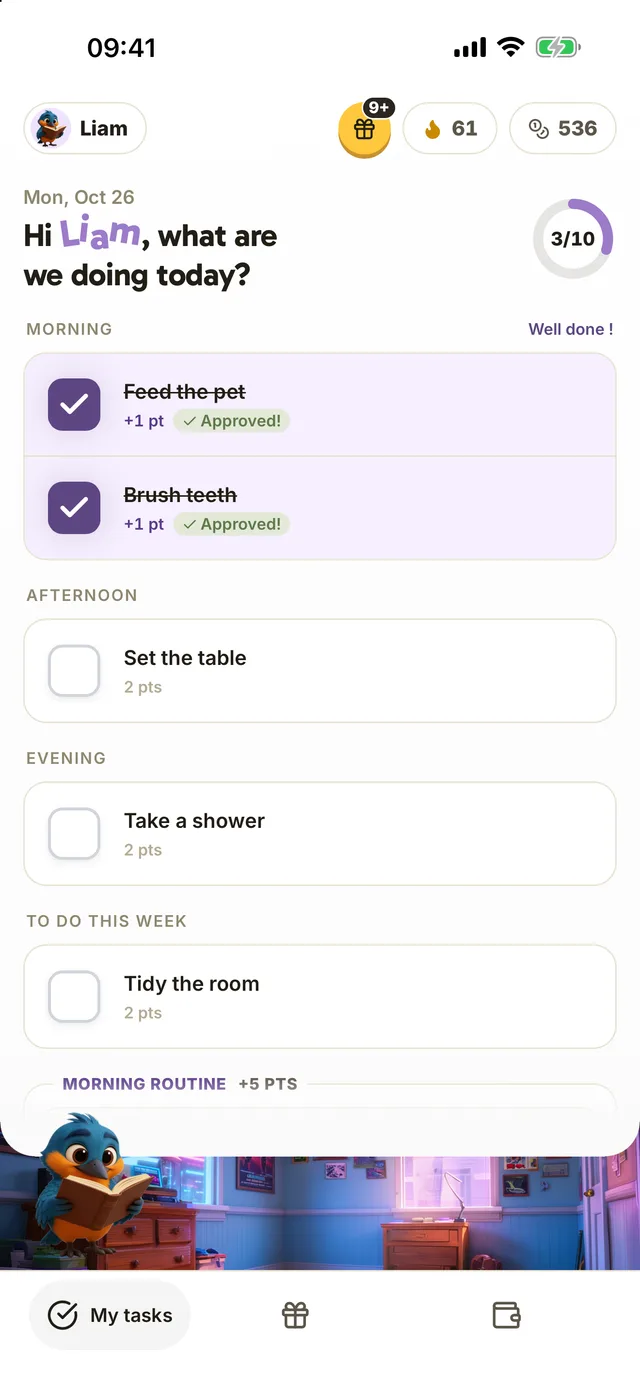
Your child has their own space in Harmonia, with daily chores, points and an avatar. They can open it on their phone, yours or the family tablet whenever they need it.

Free for one child, with no credit card or ads.

Their list is there when they need it
If you’re the only one who knows the list, every chore starts with a reminder. Sometimes the timing is awkward: your child is halfway through building a fort. With a list of their own, they can check the planned chores without waiting for your next instruction.
How it works in Harmonia
- 1Next step
A space they can make their own
Your child sees the day’s chores, their points total and the next reward. Messages speak directly to them: “Two more points until your reward.” They also choose their avatar, colors and background.
For kids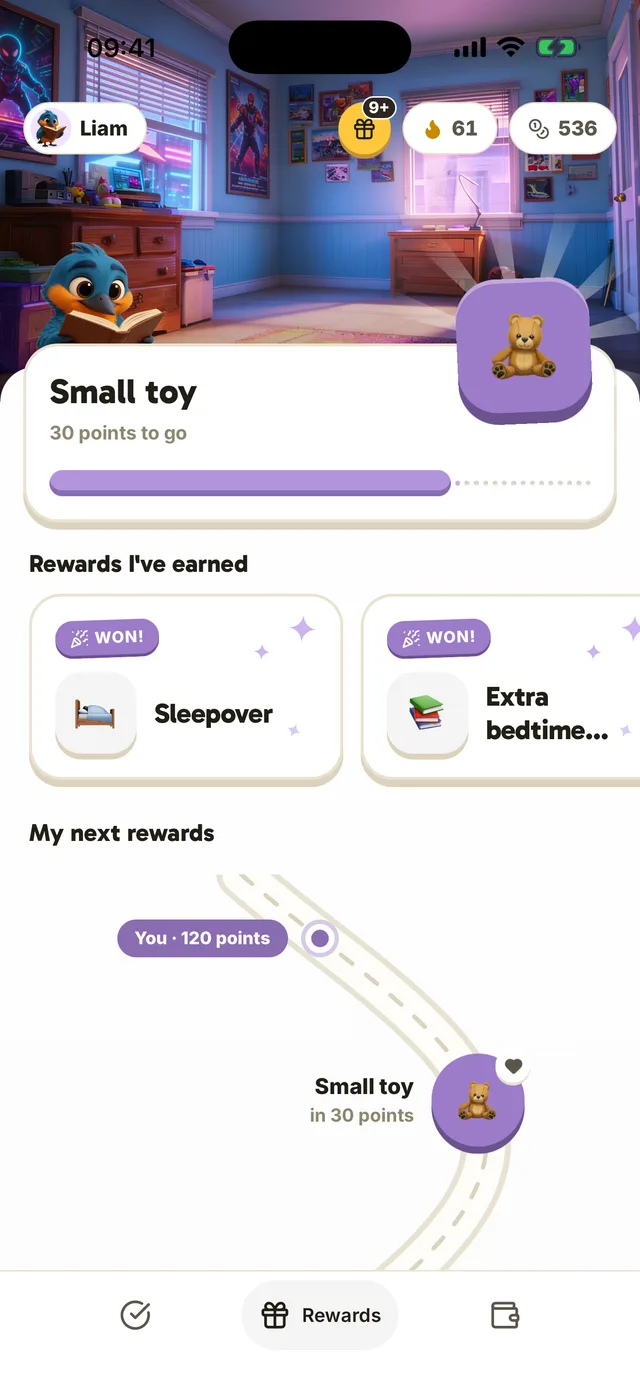
- 2Next step
Use the device that suits your family
Your child can use their phone, yours or the family tablet. To give them access on their own device, open the Home tab in your app. This is free for the first child.
For parents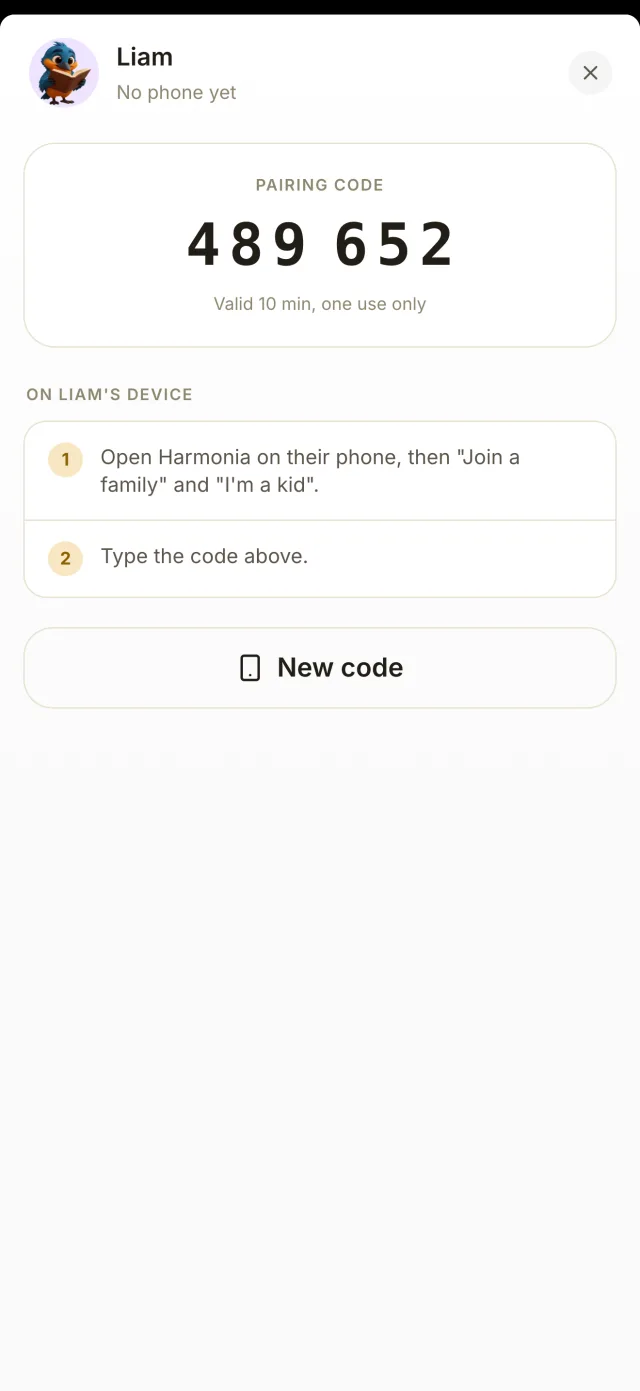
- 3
They check it off, you approve
Your child checks off a completed chore in their space. You see it on your side to check and approve. Points arrive after your approval, even when your child uses the app on their own.
For parents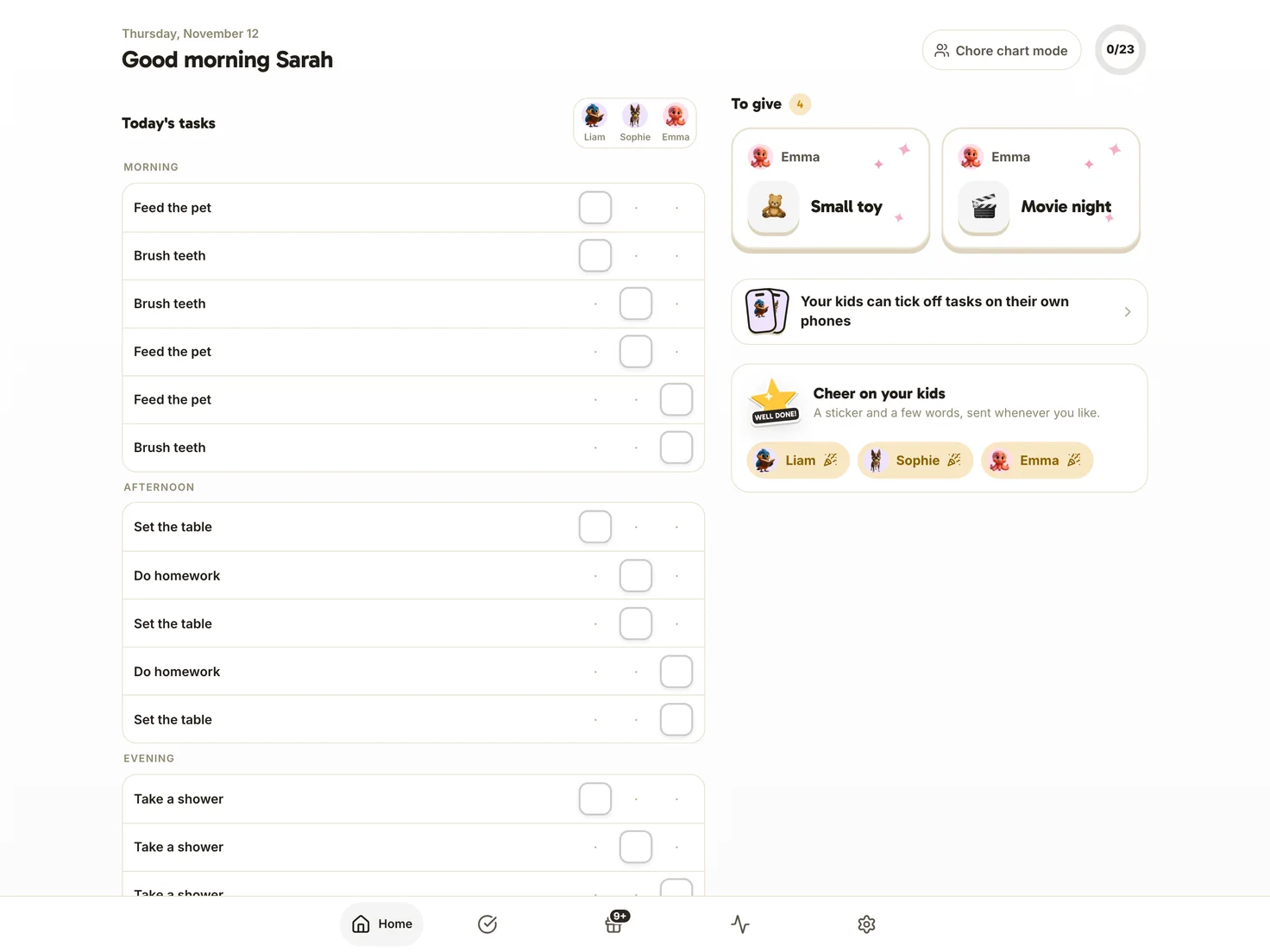
“I don’t want to give them another screen”
Your child can check their list, tick off a chore and close the app. Their space has no ads or feed to scroll through. The only game, tic-tac-toe against their avatar, is available after a day with all chores completed. They can use your phone or the family tablet, so they don’t need a device of their own.
The core app is free for one parent and one child.
“I love the idea it’s really great and helps children learn to take responsibility”
4.7 out of 5 on the App Store, 14 ratings
Create their space
Free for one child, with no credit card or ads.

More ideas for your family

Your questions about the kids’ space
Another question? Get in touchDoes my child need a phone?
No. Their space also opens on your phone or the family tablet. If they have their own phone, you set up access from the Home tab. Access is free for the first child.
Can my child approve their own chores?
Your child checks off their chores, but you check and approve them. That’s when the points are awarded, even if they’re using their own phone.
Does it suit teenagers?
Yes. Harmonia is for children up to age 14. A teenager can check chores and allowance on their own phone while you continue approving chores on yours.
Set up their space tonight
Choose an avatar and colors together, add a first chore and let your child explore the rest tomorrow morning.
Free for one child, with no credit card or ads.
Sophie and Sébastien, the parents behind Harmonia